Discussion Forum UI Components for Community Platforms
Browse 11 discussion forum components for React and Next.js — thread layouts, upvoting systems, reply chains, user avatars, and moderation tools. Built with Shadcn UI and Tailwind CSS for community platforms.
SERP Blocks Team
Product
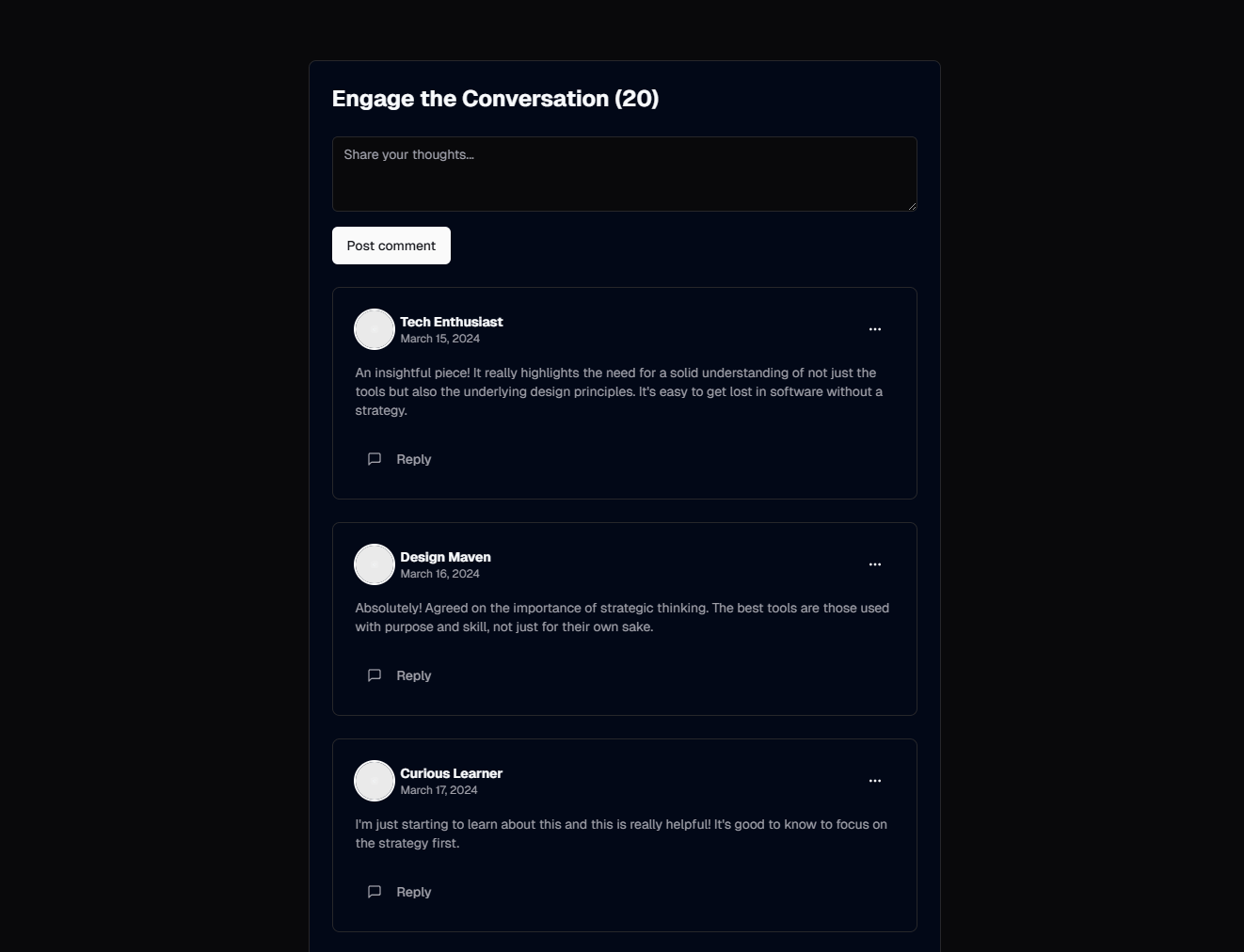
Community platforms live or die by their discussion interfaces. A well-designed forum keeps people coming back, posting replies, upvoting useful answers, and building relationships with other members. A poorly designed one drives users to Discord, Slack, or Reddit — places where you lose control of the conversation and the content disappears into infinite scroll.
The difference between a forum that generates engagement and one that sits empty usually comes down to the UI. When posting feels effortless, when scanning threads is fast, when replying happens in context rather than on a separate page — participation becomes frictionless. Every extra click, every confusing layout, every missing visual cue is a barrier that reduces the number of people willing to contribute.
The SERP Blocks discussion collection includes 11 discussion components — covering thread list views, individual thread layouts, reply chains, voting mechanisms, and moderation interfaces. Each component is built with Shadcn UI and Tailwind CSS, designed to work in React and Next.js applications.
Why Forum UI Deserves Serious Attention
Most SaaS products, developer tools, and content platforms eventually need a community layer. Support forums reduce ticket volume. Product feedback boards surface feature requests. Knowledge bases built from community threads become SEO assets. User-generated discussions create content at a scale no editorial team can match.
Yet forum UI is rarely given the design attention it deserves. Many teams default to embedding a third-party tool or building a bare-bones interface that handles the basics but misses the interaction patterns that make forums engaging. The result is a community section that feels disconnected from the rest of the product.
Building your forum UI with the same component system as the rest of your application — Shadcn UI and Tailwind CSS — keeps the experience cohesive. Users should not feel like they've left your product when they open the community section.
Thread List Layouts
The thread list is the front door of your forum. It determines whether users can quickly find relevant discussions, whether new posts get visibility, and whether the forum feels active or abandoned.
Card-Based Thread Lists
Each thread appears as a distinct card with clear boundaries. Card layouts work well when threads contain rich metadata — author avatar, category tag, reply count, last activity timestamp, and a preview snippet of the opening post.
Cards provide generous spacing that makes scanning comfortable. They also create natural touch targets on mobile devices, where the entire card surface can be tappable. The trade-off is vertical space: card layouts show fewer threads per screen than compact list layouts.
For forums with moderate posting volume (10-50 new threads per day), card-based layouts work well. They give each thread enough visual presence to encourage clicking.
Compact List Layouts
When volume is high or when users are power users who scan quickly, compact list layouts pack more threads into the viewport. Each thread occupies a single row with columns for title, author, reply count, and last activity.
This pattern is familiar from traditional forums like Stack Overflow, Discourse, and Hacker News. It prioritizes information density over visual richness. Compact layouts require strong typography and careful alignment to remain readable — without card boundaries, the rows need visual rhythm from consistent spacing and subtle dividers.
Categorized and Filtered Views
Most forums need categories (General, Feature Requests, Bug Reports, Show and Tell) and filtering (Newest, Most Active, Unanswered, Solved). The thread list component should support both without requiring a full page reload.
Tab-based category switching at the top of the thread list keeps categories visible and accessible. Dropdown filters for sort order and status reduce interface clutter while providing the control users need.
For forums with many categories, a sidebar navigation with category counts gives users a persistent map of the forum's structure. This pattern scales well to forums with dozens of categories.
Individual Thread Views
Once a user clicks into a thread, the layout needs to serve two modes: reading and participating. Readers want to scan the conversation quickly, identify the most useful replies, and understand the resolution. Participants want to reply, quote specific passages, and vote on responses.
Original Post with Metadata
The thread's opening post should be visually distinct from replies. It sets the context for the entire conversation. Display the author's avatar, name, role badge (if applicable — admin, moderator, team member), post date, and any category or status tags.
Rich text rendering matters here. Forum posts often include code blocks, inline images, links, bullet lists, and blockquotes. The opening post component needs to handle all of these gracefully, with proper syntax highlighting for code and responsive image sizing.
Reply Chains
Reply chains are the core interaction pattern of any discussion forum. The design of reply chains determines whether conversations feel coherent or chaotic.
Flat reply lists display all responses in chronological order at the same hierarchy level. This pattern is simple and works well for short threads (under 20 replies). Every response is equally visible, and the conversation flows linearly from top to bottom.
Threaded replies nest responses under the comment they're replying to, creating visual hierarchy through indentation. Threaded layouts handle complex conversations better — side discussions don't interrupt the main flow, and related responses stay grouped. The challenge is deep nesting: after 3-4 levels of indentation, the content area becomes too narrow. Most implementations cap nesting depth and flatten responses beyond that threshold.
Hybrid approaches show top-level responses in a flat list but allow one level of nested replies beneath each response. This balances the clarity of flat layouts with the context preservation of threading. Stack Overflow, GitHub discussions, and many modern forums use this pattern.
Each reply component should display the author's avatar, username, timestamp, and the reply content. Action buttons for upvoting, replying, sharing, and reporting should appear on hover or in a compact action bar to keep the interface clean when reading.
Inline Reply Composition
The reply experience directly affects participation rates. Navigating to a separate page to compose a reply creates friction. Inline reply composition — a text area that appears directly below the post being replied to — keeps the context visible and the action immediate.
A well-designed inline reply editor includes:
Rich text formatting controls (bold, italic, code, link, list)
Markdown support for developer-oriented communities
Image and file attachment via drag-and-drop or button
@mention autocomplete for tagging other users
Preview toggle to check formatting before posting
For longer, more considered replies, a modal-based editor that expands into a larger composition area works well. The key is giving users a choice: quick replies inline, detailed responses in an expanded editor.
Upvoting and Engagement Signals
Voting systems serve two purposes: they surface the best content for readers, and they give contributors a dopamine hit of social validation that encourages future participation.
Upvote-Only Systems
A single upvote button (like Reddit's older system or Product Hunt) keeps the interaction simple. Users can endorse a post without expressing negativity. This pattern works well for community feedback boards and feature request forums where you want to gauge positive sentiment without discouraging people from posting.
The vote count displayed beside each post serves as a quality signal. High-count posts draw attention, and the sorted view (Most Upvoted) creates a curated digest of the best content.
Upvote/Downvote Systems
Bidirectional voting (like Stack Overflow or Reddit) provides stronger signal about content quality. Downvotes push low-quality or off-topic posts down, reducing noise. The trade-off is that downvotes can feel punitive and may discourage new users from posting.
If your community skews toward Q&A (where there are objectively better and worse answers), bidirectional voting helps surface accuracy. If your community is more discussion-oriented (where there are many valid perspectives), upvote-only systems feel more welcoming.
Reaction Systems
Beyond votes, emoji reactions (like GitHub or Slack) provide nuanced feedback without the hierarchy of voting. A thumbs-up, heart, celebrate, or thinking-face reaction lets users express agreement, appreciation, or contemplation without composing a reply.
Reactions are lightweight engagement. They lower the bar for participation — users who might not write a reply will often leave a reaction. This makes the forum feel more active and gives post authors feedback on their contributions.
User Avatars and Identity
Avatars are a small visual element with outsized impact on community engagement. They transform anonymous text posts into conversations between recognizable individuals. When users see the same avatar repeatedly, they begin to recognize community members, building familiarity and trust.
Avatar Display Patterns
Round avatars with initials fallback — Show uploaded profile images in circular frames, with a colored circle and initials for users who haven't set an avatar
Avatar with status indicator — A small dot (green for online, gray for offline) overlaid on the avatar corner, showing who is currently active in the forum
Avatar with role badge — A small shield or star icon beside the avatar indicating moderator, admin, or verified status
Avatar stacks — In the thread list view, show the first 3-4 participant avatars stacked with overlap, giving a visual preview of who's involved in the conversation
The SERP Blocks discussion components include avatar integration throughout — in thread lists, individual posts, reply chains, and user hover cards. Consistent avatar placement across all these contexts builds the visual identity system your community needs.
Moderation Tools
Every community eventually needs moderation. Spam, off-topic posts, personal attacks, and self-promotion all require intervention. The question is whether moderation tools are built into the UI from the start or bolted on after problems arise.
Inline Moderation Actions
For users with moderation privileges, additional actions should appear on each post: pin, lock, move to another category, mark as spam, hide, edit, and delete. These actions should be accessible from each post's action menu without navigating to a separate admin panel.
Inline moderation keeps moderators in the flow of reading discussions. When they spot a problem, they can address it immediately rather than context-switching to an admin interface, finding the post again, and taking action.
Reporting and Flagging
For community-driven moderation, every user should have access to a report button. The report flow should be quick — a menu of predefined reasons (Spam, Harassment, Off-Topic, Misinformation) plus an optional free-text field for additional context.
Reported posts should display a subtle indicator to moderators without revealing the report to the post author or other users. A moderation queue that aggregates all flagged posts with their report reasons makes triage efficient.
Moderator Dashboards
For communities at scale, a dedicated moderation dashboard provides an overview of flagged content, recent moderator actions, user warnings, and ban status. This dashboard is a separate view from the forum itself, designed for the administrative task of maintaining community health.
Pair moderation dashboards with admin sidebar components (10 blocks) for a complete back-office experience.
Notification Design for Community Engagement
Notifications bring users back to the forum. Without them, users must remember to check for replies — and most won't. Effective notification design turns occasional visitors into regular participants.
Notification Triggers
The most important notification triggers for forum engagement:
Reply to your post — Someone responded to a thread you started
Reply to your comment — Someone responded to a reply you made
Mention — Someone @mentioned you in a discussion
Upvote milestone — Your post reached 10, 25, or 100 upvotes
Thread activity — New replies in a thread you're subscribed to
In-App Notification UI
A notification bell in the header with an unread count badge is the standard pattern. Clicking the bell opens a dropdown panel showing recent notifications grouped by thread. Each notification includes the actor's avatar, the action taken, a snippet of the content, and a timestamp.
Notification preferences should let users control frequency (immediate, daily digest, weekly digest) and channel (in-app, email, push) per notification type. Power users want immediate in-app alerts for replies. Casual users prefer a daily email digest.
Building Community Content Workflows
Discussion forums rarely exist in isolation. They connect to content creation, real-time communication, and user authentication systems.
Content Creation
Users need tools to create rich posts. The SERP Blocks create-post collection includes 10 post creation components — from simple text inputs to full rich-text editors with media upload, category selection, and preview functionality. These components pair directly with discussion thread layouts.
Real-Time Communication
Some conversations need real-time responses. The chat collection (10 blocks) provides live messaging components that complement asynchronous forum discussions. A common pattern is to offer both: forum threads for in-depth discussions that persist and are searchable, and chat for quick questions and casual conversation.
Email Integration
Keep community members engaged between visits. The newsletter collection (13 blocks) includes digest-style email components that summarize the week's top discussions, new threads in followed categories, and replies to the user's posts.
Authentication
Every community platform needs user accounts. The login collection (17 blocks) provides authentication interfaces that support email/password, social login, magic links, and SSO — all the methods modern community platforms need to support.
Performance Considerations for Large Forums
Forums with thousands of threads and millions of posts present unique performance challenges.
Pagination vs. Infinite Scroll
For thread lists, pagination provides better performance and user experience. Users can bookmark specific pages, share links to specific positions in the list, and navigate predictably. Infinite scroll can work for chronological feeds, but for sorted/filtered views, pagination gives users more control.
For individual threads, consider a hybrid: show the first 20 replies on page load, then load more as the user scrolls down. For very long threads (100+ replies), provide a navigation system — jump to newest, jump to first unread, jump to highest-voted reply.
Optimistic Updates
When a user upvotes a post or submits a reply, update the UI immediately without waiting for the server response. This makes interactions feel instant. If the server request fails, revert the UI change and show an error message. Optimistic updates are critical for engagement — a voting button that takes 500ms to respond feels broken.
Content Rendering
Forum posts with complex content (code blocks, embedded images, math equations) need efficient rendering. Lazy-load images below the fold. Use syntax highlighting that initializes on scroll rather than on page load. For posts with user-generated HTML, sanitize on the server and cache the rendered output.
SEO Value of Community Content
Forum threads create long-tail search content at scale. Each thread targets a specific question or topic that your editorial team might never think to write about. The combination of the original question and community answers creates comprehensive content that search engines value.
To maximize SEO value from forum content:
Use semantic HTML (h1 for thread title, article elements for posts)
Generate unique meta descriptions from the opening post
Implement structured data for Q&A threads (Question and Answer schema)
Ensure threads are server-rendered or statically generated, not client-only
Create category pages that serve as hub pages for related threads
Related Block Categories
Discussion forum components work alongside:
| Section | Category | Count |
| Post Creation | Create Post | 10 |
| Live Messaging | Chat | 10 |
| Email Capture | Newsletter | 13 |
| Authentication | Login | 17 |
| User Reviews | Reviews | 13 |
| Navigation | Navbar | 17 |
SERP Blocks includes 1200+ total blocks across 50+ categories. 60 are free, with the full library available through a one-time Pro purchase.