How to Build a Link-in-Bio Page with React and Tailwind
Learn how to build a Linktree alternative with React and Tailwind CSS using 14 Link Hub components. Profile headers, link buttons, social icons, analytics tracking, and custom domain support — all built with Shadcn UI.
SERP Blocks Team
Product
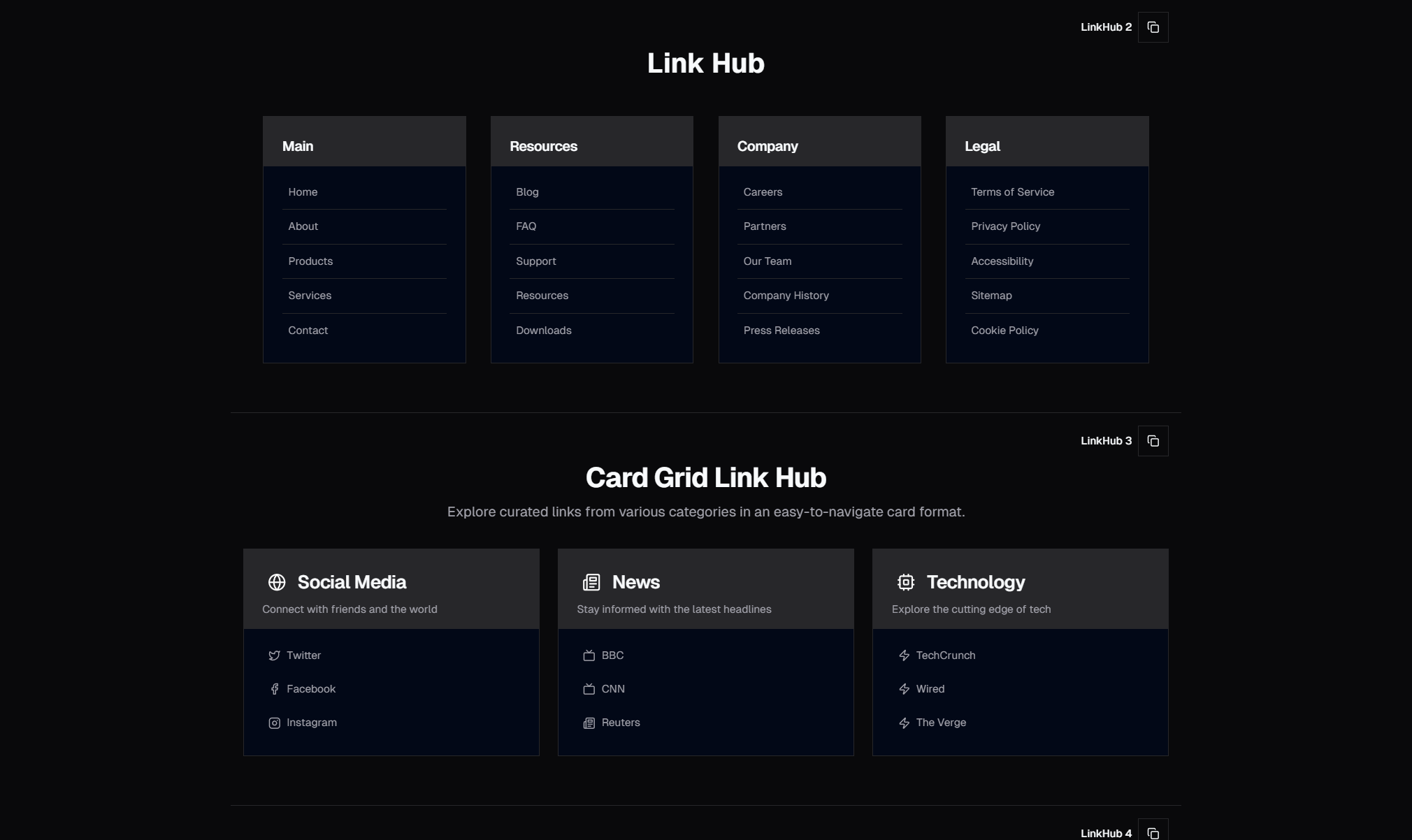
Link-in-bio pages have become the central hub of the creator economy. Every Instagram profile, TikTok account, YouTube channel, and X bio funnels followers to a single URL — and that URL needs to do a lot of work. It needs to present your brand, surface your most important links, drive conversions, and look good doing it.
Linktree popularized the format in 2016, and a wave of alternatives followed: Beacons, Lnk.Bio, Stan Store, Shorby, and dozens more. They all solve the same problem: social platforms give you one clickable link, so you need a page that expands that single link into many. But these hosted solutions come with trade-offs. You're locked into their templates, their analytics, their pricing tiers, and their domain. Your link-in-bio page — often the most-visited page you own — lives on someone else's platform.
Building your own link-in-bio page with React and Tailwind CSS eliminates those trade-offs. You get full design control, your own domain, your own analytics, and zero monthly fees. The SERP Blocks Link Hub collection includes 14 link hub components that give you a production-ready starting point — profile headers, styled link buttons, social icon grids, and complete page layouts ready to customize.
Why Build Your Own Link-in-Bio Page
Full Brand Control
Linktree and its competitors offer templates, but templates constrain you. Your link-in-bio page is often the first touchpoint between you and a new follower. It should look and feel like your brand, not like a Linktree page with your colors swapped in.
When you own the code, you control every pixel. Custom fonts, custom animations, layout structures that don't fit into a template builder's grid — all of it is available. A React component renders whatever JSX you write. Tailwind CSS utility classes give you design precision without writing custom stylesheets.
Custom Domain
A link-in-bio page at links.yourdomain.com or yourdomain.com/links looks more professional than linktr.ee/yourname. It keeps visitors within your domain ecosystem, which helps with brand recognition and SEO. Every visit to your link-in-bio page becomes a visit to your domain, building authority over time.
Setting up a custom domain for a Next.js app takes minutes. Add a DNS record, configure the domain in your hosting provider (Vercel, Netlify, Cloudflare), and your link-in-bio page lives on your own infrastructure.
No Monthly Fees
Linktree Pro costs $9/month. Beacons Pro costs $10/month. Stan Store starts at $29/month. These fees add up, especially for creators managing multiple brands or accounts. A self-hosted React page costs nothing beyond the hosting — and most hosting providers offer generous free tiers.
Vercel's free plan handles millions of requests. Cloudflare Pages offers unlimited bandwidth. Your link-in-bio page is a single static page with minimal data requirements. It costs effectively nothing to host.
Ownership of Analytics
Third-party link-in-bio platforms give you analytics dashboards, but you're seeing what they choose to show you. When you own the page, you can integrate any analytics tool — Google Analytics, Plausible, PostHog, Umami — and track exactly the metrics that matter to you. Click-through rates per link, traffic sources, geographic data, device breakdowns, time-on-page, scroll depth, and conversion funnels.
More importantly, you own the data. If you leave Linktree, your historical analytics stay with Linktree. If you own the page and the analytics integration, the data is yours permanently.
Anatomy of a Link-in-Bio Page
Every effective link-in-bio page consists of the same core sections. The 14 SERP Blocks Link Hub components cover each of these patterns with multiple design variations.
Profile Header
The top of every link-in-bio page identifies who you are. This section establishes brand recognition immediately — a visitor should know within one second whose page they're on.
Profile header elements include:
Avatar or logo — A circular profile image or brand logo. High resolution, recognizable at small sizes. This is the same image your followers see on social platforms, creating visual continuity.
Display name — Your name, brand name, or handle. Large, bold, centered. The most prominent text element on the page.
Bio or tagline — One to two lines describing what you do. Keep it concise and value-oriented: "Helping developers ship faster with React components" is better than "Developer, blogger, coffee enthusiast."
Verified badge or credential — Optional, but useful for establishing credibility. A checkmark icon, a title ("Forbes 30 Under 30"), or a brief credential.
The profile header sets the visual tone for the entire page. A minimal header with a small avatar and sans-serif type suggests professionalism. A bold header with a large photo and expressive typography suggests personality. Match the header style to your audience's expectations.
Link Buttons
The core of the page — a vertical stack of buttons, each linking to a different destination. This is what visitors came for: quick access to your most important links.
Link button design patterns include:
Solid buttons — Filled background color with contrasting text. High visual weight, strong click affordance. Best for primary links you want to emphasize.
Outlined buttons — Border-only buttons with transparent backgrounds. Lower visual weight, cleaner aesthetic. Good for secondary links that should be available but not dominant.
Rounded pill buttons — Full border-radius for a softer, more approachable feel. Popular with lifestyle and creative brands.
Card-style buttons — Larger button containers with a title, description, and optional thumbnail. Provide more context about each link destination.
Icon-prefixed buttons — A small icon (favicon, emoji, or custom icon) to the left of the link text. Helps visitors visually scan the list and find what they need.
Button ordering matters. Place your highest-priority link at the top — this is where the most clicks happen. Click-through rates drop progressively as visitors scroll down the list. Data from link-in-bio platforms consistently shows that the first link receives 2-3x more clicks than the fifth link.
Consider grouping links by category if you have more than six or seven. A musician might group links into "Music" (Spotify, Apple Music, YouTube) and "Merch" (Store, Tour Dates). Visual separators or section labels help visitors navigate longer lists.
Social Icons
A row of social media icons — typically displayed as a horizontal strip of circular icons below the profile header or at the bottom of the page. Each icon links to the corresponding social profile.
Social icon considerations:
Icon consistency — Use a consistent icon set (Lucide, Heroicons, Simple Icons, or Font Awesome). Mixing icon styles looks unprofessional.
Platform coverage — Instagram, TikTok, YouTube, X, LinkedIn, GitHub, Twitch, Discord, Threads, Bluesky. Include only the platforms where you're active. Dead or dormant profiles hurt more than they help.
Size and spacing — Icons should be large enough to tap on mobile (minimum 44x44px touch target) with sufficient spacing to prevent mis-taps.
Hover and focus states — Color transitions, scale effects, or background fills on hover. These micro-interactions make the page feel polished and responsive.
Some link-in-bio layouts embed social icons within the profile header. Others place them in a dedicated section below the link buttons. Both approaches work — the choice depends on how prominently you want to feature social platforms versus direct links.
Featured Content Sections
Beyond simple link buttons, modern link-in-bio pages include richer content sections for creators who want to showcase specific content types.
Featured content patterns include:
Latest video embed — Pull your most recent YouTube or TikTok video directly into the page. Visitors watch without leaving.
Image gallery strip — A horizontal scroll of images from your portfolio, Instagram feed, or product catalog.
Product cards — For creators who sell products, embedded cards with image, title, price, and a "Buy" button.
Music player — An embedded Spotify or Apple Music player showing your latest release.
Email signup — An inline newsletter form where followers can subscribe directly from your link-in-bio page. The newsletter collection (13 blocks) provides email capture components that integrate naturally into link hub layouts.
These sections transform a basic list of links into a rich, engaging landing page. They increase time-on-page and give visitors multiple ways to engage beyond clicking a link and leaving.
Building the Page with React and Tailwind
Page Structure
A link-in-bio page is a single-page layout — no routing, no complex state management, minimal interactivity. The entire page is a centered column with a max-width constraint, making it one of the simplest React pages you can build.
The structure follows a predictable pattern:
A full-height container with vertical centering
A max-width wrapper (typically
max-w-mdormax-w-lg) that keeps the content readable on large screensA vertical flex column with consistent spacing between sections
Optional background gradient or pattern for visual interest
Tailwind CSS handles all of this with utility classes. No custom CSS files, no styled-components, no CSS modules — just className strings that describe exactly what each element looks like.
Responsive Behavior
Link-in-bio pages are primarily viewed on mobile devices. Followers tap the link in a social media app, which opens the page in an in-app browser. Design for mobile first, then ensure the page looks good on desktop for the minority of visitors who access it from a computer.
Mobile-first considerations:
Touch targets — Every button and icon should be at least 44px tall with 8px spacing between them. Small, tightly packed buttons cause frustration on touch screens.
Font sizes — Body text at 16px minimum to prevent iOS Safari from auto-zooming on input focus. Headlines can be larger but should remain readable without horizontal scrolling.
Loading speed — In-app browsers on social platforms often have slower connections. Optimize images, minimize JavaScript, and use system fonts or preloaded web fonts to ensure the page renders instantly.
Viewport height — Avoid designs that require scrolling if possible. The most important links should be visible on the initial screen without scrolling. If your page does require scrolling, ensure the scroll behavior is smooth and the page doesn't feel truncated.
Theming and Customization
One of the biggest advantages of building with React and Tailwind is theme customization. Shadcn UI's theming system uses CSS custom properties, which means you can swap the entire visual appearance by changing a few variables.
Theme approaches for link-in-bio pages:
Brand colors — Set your primary and secondary colors in the Tailwind config or CSS variables. Every button, icon, and text element inherits the palette automatically.
Dark mode — Many social platforms use dark interfaces. A link-in-bio page that matches the user's system preference (or defaults to dark) feels native to the social media browsing experience.
Seasonal themes — Swap themes for holidays, product launches, or campaigns. A React component can conditionally apply different className combinations based on a date range or a configuration flag.
Gradient backgrounds — Full-page gradients are a link-in-bio staple. Tailwind's gradient utilities (
bg-gradient-to-br,from-purple-500,via-pink-500,to-orange-500) make these trivial to implement.
Analytics and Click Tracking
Owning your link-in-bio page means owning your analytics. Here's how to implement click tracking that gives you deeper insight than any hosted platform.
Event-Based Tracking
Attach click event handlers to each link button that fire analytics events before navigating. Track the link label, destination URL, position in the list, and timestamp. This data tells you which links your audience cares about and which ones you can remove or reposition.
With tools like PostHog or Plausible, you can set up custom events that track each link click as a named action. Over time, this builds a dataset that reveals patterns: maybe your audience clicks your YouTube link three times more often than your blog link, suggesting you should prioritize video content.
UTM Parameters
Append UTM parameters to every outbound link so your destination analytics (Google Analytics, Shopify, your own app) can attribute traffic back to your link-in-bio page. Use a consistent naming scheme:
utm_source=link-in-bioutm_medium=socialutm_campaign=instagram-bio(or whichever platform sent the traffic)
This creates a clear attribution trail from social profile to link-in-bio page to destination conversion.
Heatmap and Scroll Tracking
Tools like Hotjar or Microsoft Clarity can record sessions on your link-in-bio page, showing you exactly how visitors interact. Where do they click? How far do they scroll? Do they engage with embedded content or skip straight to a link? This qualitative data complements the quantitative click tracking and helps you optimize the page layout.
Monetization Links and the Creator Economy
Link-in-bio pages have evolved from simple link directories into revenue-generating hubs. Creators use them to drive income through multiple channels, and the page design should support these monetization strategies.
Direct Product Sales
Link to your digital products — courses, ebooks, templates, presets — with dedicated product cards rather than plain text links. A card with an image, title, price, and "Buy Now" button converts significantly better than a text link that says "My Course."
Product-focused link hub layouts pair well with hero sections (81 blocks) for splash-page-style introductions that grab attention before the link list begins.
Affiliate and Sponsor Links
Clearly label sponsored or affiliate links (required by FTC guidelines in the United States and equivalent regulations in other jurisdictions). A small "Sponsored" or "Affiliate" tag next to the link text maintains transparency without degrading the user experience.
Tip Jars and Support Links
Buy Me a Coffee, Ko-fi, Patreon, and direct payment links give followers a way to support your work. Position these links prominently — after your content links but before your social icons. Creators who place support links at the very bottom of the page see significantly fewer clicks than those who place them mid-page.
Email List Building
Your link-in-bio page is one of the best places to grow your email list. Visitors are already engaged enough to click through from a social profile — that's a warm audience primed for a newsletter signup. Embed an email capture form directly in the page rather than linking to a separate signup page. Reducing the number of clicks between intent and action increases conversion rates.
Personal Branding and Differentiation
In a sea of default Linktree templates, a custom link-in-bio page stands out. Personal branding is about owning your visual identity across every touchpoint, and your link-in-bio page is one of the most-viewed pages in your ecosystem.
Brand differentiation strategies:
Custom illustrations or photography — Replace generic stock icons with original visuals that reflect your brand personality.
Animated elements — Subtle entrance animations, hover effects on buttons, or a gently animated background. Motion draws attention and signals that this is not a cookie-cutter template.
Content hierarchy — Arrange your links to tell a story. Lead with who you are (profile header), what you create (featured content), where to find you (links), and how to support you (monetization). This narrative flow is more engaging than a random list of URLs.
Consistent typography — Use the same fonts on your link-in-bio page as you use on your website, your presentations, and your social media graphics. Typographic consistency across platforms strengthens brand recognition.
Combining Link Hub with Other Blocks
A link-in-bio page doesn't exist in isolation. It's often the gateway to a broader web presence. SERP Blocks categories that pair naturally with Link Hub layouts:
Hero Sections for Splash Introductions
Turn your link-in-bio page into a mini landing page by leading with a hero section. A full-viewport hero with your name, photo, and tagline creates impact before the visitor reaches the link list. The hero collection (81 blocks) includes minimal and centered variants that work perfectly as link-in-bio splash screens.
Footer for Credibility
Even a single-page link-in-bio benefits from a footer. A small footer with your copyright notice, privacy policy link, and a "Built with SERP Blocks" credit adds professionalism. The footer collection (21 blocks) includes compact single-line footer designs suited to minimal pages.
Newsletter for List Growth
Embedding a newsletter signup form directly in your link-in-bio page captures subscribers who might not click through to a separate landing page. The newsletter collection (13 blocks) provides inline, card-style, and minimal signup forms that fit the vertical layout of a link hub page.
Related Block Categories
Link Hub components work alongside these other block categories:
| Section | Category | Count |
| Link Hub | Link Hub | 14 |
| Hero Sections | Hero | 81 |
| Footers | Footer | 21 |
| Newsletter | Newsletter | 13 |
| About Sections | About | 32 |
| Gallery | Gallery | 25 |
SERP Blocks includes 1200+ total blocks across 50+ categories. 60 are free, with the full library available through a one-time Pro purchase.