Shadcn UI for SaaS: The Complete Component Toolkit
Map every stage of the SaaS UI lifecycle to ready-made Shadcn UI blocks — from landing pages and onboarding flows to dashboards, billing, and admin panels. 1,200+ blocks covering 50+ categories.
SERP Blocks Team
Product
Building a SaaS product means building dozens of distinct interfaces. There is the marketing site that convinces people to sign up, the onboarding flow that gets them started, the dashboard they use daily, the settings page where they manage their account, the billing screen where they upgrade, and the admin panel your team uses behind the scenes. Each of these surfaces has its own design patterns, layout conventions, and user expectations.
Most component libraries give you buttons, inputs, and modals. They leave the hard part — assembling those primitives into complete, production-grade page sections — entirely to you. That is where block libraries change the equation. Instead of spending days composing a pricing table from scratch or wiring up a settings panel, you grab a pre-built block, drop it in, and customize the content.
This guide maps every stage of the SaaS UI lifecycle to specific block categories in SERP Blocks, a library of 1,200+ Shadcn UI blocks across 50+ categories. Every block is built with Tailwind CSS, ships with dark mode support, and is copy-paste ready for Next.js projects.
The SaaS UI Lifecycle
A SaaS product is not a single page. It is a system of interconnected surfaces, each serving a different audience at a different stage. Here is the full lifecycle:
Acquisition — Marketing site, landing pages, blog
Conversion — Pricing, CTAs, sign-up forms
Onboarding — Welcome screens, setup wizards, tutorials
Core Product — Dashboard, data tables, modals
Account Management — Settings, billing, account overview
Support — FAQ, contact forms, changelogs
Internal Tools — Admin sidebar, team management
Let's walk through each stage and the blocks that power it.
Stage 1: The Marketing Site
Your marketing site is the front door. It needs to look polished, load fast, and communicate your value proposition within seconds. This is where the highest concentration of block categories comes into play.
Hero Sections (81 Blocks)
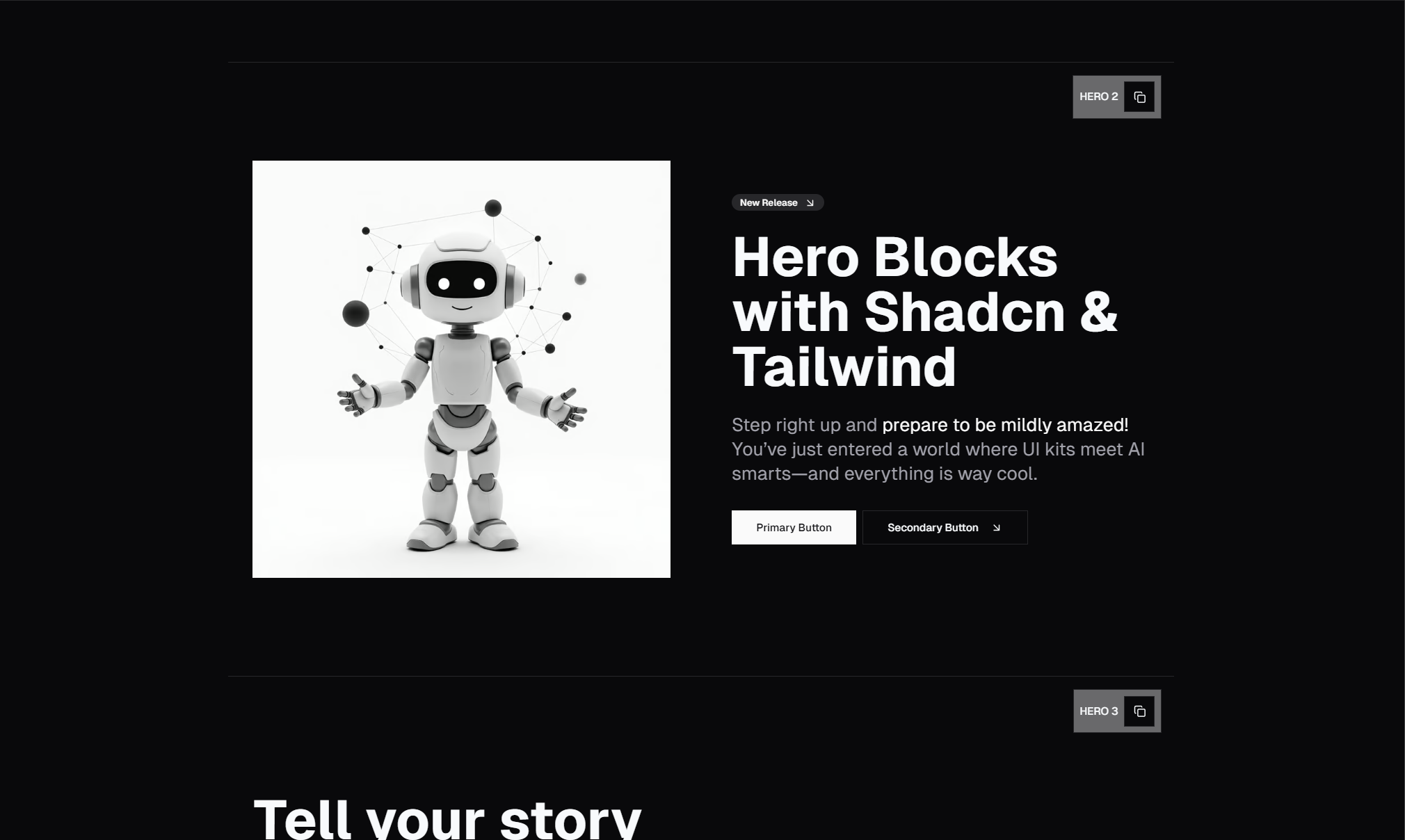
The hero is the single most important section on your landing page. It carries your headline, your subheading, and your primary call-to-action. Browse the hero collection for 81 designs covering every major layout pattern.
For SaaS, the most effective hero styles are:
Centered heroes with a strong headline, short description, and a single CTA button. These work when your product name and tagline carry the message.
Split-screen heroes that pair the headline with a product screenshot or app mockup on the opposite side. Ideal for showing the product early.
Heroes with social proof that embed customer counts, star ratings, or logo bars directly into the hero area. These compress the trust-building process into the first viewport.
A SaaS hero should answer one question: "What does this product do for me?" If your hero answers that in under five seconds, it is doing its job.
Feature Sections (132 Blocks)
After the hero, visitors want specifics. What does the product actually do? Feature sections break your product into digestible capabilities, typically arranged in grids, alternating rows, or icon-based lists.
With 132 blocks in the feature collection, you have options for every information density:
Icon grids — Three or four features in a row, each with an icon, title, and short description. Good for products with clearly distinct capabilities.
Alternating rows — Full-width sections that alternate image and text, left to right. These give each feature room to breathe and work well for complex products.
Feature comparisons — Side-by-side layouts that contrast your product with the alternative (manual process, competitor, or the old way).
Most SaaS landing pages need two to three feature sections. Start with a high-level overview grid, then go deeper with alternating rows for your top two or three features.
Pricing (21 Blocks)
Pricing is the conversion bottleneck. A confusing or poorly designed pricing section kills signups. The pricing collection includes 21 blocks covering the standard SaaS pricing patterns:
Two-tier layouts — Free and Pro, simple and clear
Three-tier layouts — Starter, Pro, Enterprise with a highlighted recommended plan
Toggle pricing — Monthly and annual billing with a discount badge on annual
Feature comparison tables — Detailed row-by-row breakdown of what each plan includes
The most effective SaaS pricing sections highlight one plan as recommended, show annual savings prominently, and include a brief FAQ or guarantee below the pricing cards.
Testimonials (40 Blocks)
Social proof converts fence-sitters. The testimonial collection gives you 40 layouts for displaying customer quotes, including:
Card grids — Multiple testimonials in a grid, good for volume
Featured testimonials — Large quote with photo and company logo, good for high-profile customers
Carousel testimonials — Rotating quotes that save vertical space
For SaaS, testimonials from recognizable companies or people with impressive titles carry the most weight. Pair the quote with the person's photo, name, title, and company logo whenever possible.
CTAs (32 Blocks)
Every landing page needs multiple conversion points. The CTA collection provides 32 call-to-action blocks for placement between sections, at the bottom of the page, or as standalone conversion sections.
Effective SaaS CTAs reiterate the core value proposition and reduce friction. "Start your free trial — no credit card required" outperforms "Sign up" every time.
Supporting Marketing Sections
Round out the marketing site with these additional block categories:
Logos (11 blocks) — Customer logo bars and trust badges
FAQ (21 blocks) — Address common objections before they become support tickets
Navbar (17 blocks) — Site navigation with dropdowns and mobile menus
Footer (21 blocks) — Links, legal pages, social media
Blog list (27 blocks) — Content marketing layouts
Blog single (12 blocks) — Individual post templates
Contact (33 blocks) — Contact forms and support pages
Newsletter (13 blocks) — Email capture sections
Banner (20 blocks) — Announcement bars and promotional banners
Stats (10 blocks) — Metric displays for traction numbers
That is the entire marketing site covered without writing a single component from scratch.
Stage 2: Sign Up and Login
The transition from visitor to user happens on your authentication pages. These need to be clean, fast, and friction-free.
Sign up (11 blocks) — Registration forms with social auth options, email/password, and magic link variants
Login (17 blocks) — Sign-in pages with split layouts, centered forms, and branded backgrounds
Forgot password (10 blocks) — Password reset flows
The best SaaS auth pages are minimal. One form, one primary action, and a link to switch between sign up and login. Avoid clutter on these pages — every extra element is a distraction from conversion.
Stage 3: Onboarding (12 Blocks)
First impressions inside the product determine whether a new user becomes an active user or churns within the first week. The onboarding collection includes 12 blocks for:
Welcome screens — Greeting the user by name and setting expectations
Setup wizards — Multi-step forms that collect initial configuration (team name, invite members, connect integrations)
Feature tours — Guided walkthroughs that highlight key product areas
Progress indicators — Showing users how far along they are in the setup process
Good onboarding gets users to their "aha moment" as fast as possible. For a project management tool, that means creating their first project. For an analytics tool, it means seeing their first data. Design your onboarding flow to remove every obstacle between sign-up and that moment.
Stage 4: The Core Product
This is where users spend most of their time. The core product UI needs to be functional, fast, and information-dense without feeling overwhelming.
Dashboard (20 Blocks)
The dashboard is the home screen of your SaaS product. The dashboard collection provides 20 layouts covering:
Metric overview dashboards — Key numbers at a glance with charts and trend indicators
Activity feed dashboards — Recent events, notifications, and updates
Kanban-style dashboards — Card-based views for project or task management
Analytics dashboards — Charts, graphs, and data visualizations
A good SaaS dashboard answers the question "What happened since I last logged in?" at a glance. Lead with the most important metrics, then provide drill-down paths for details.
Tables (17 Blocks)
Nearly every SaaS product needs data tables. User lists, transaction logs, content libraries, API keys — tables are the workhorse of enterprise UI. The table collection gives you 17 blocks with:
Sortable columns
Pagination
Search and filter bars
Row selection and bulk actions
Responsive designs that work on mobile
Tables are deceptively hard to build well. Getting the column widths, overflow handling, sticky headers, and mobile behavior right takes significant effort. Pre-built table blocks save days of development time.
Modals (13 Blocks)
Modals handle confirmations, quick forms, detail views, and warnings. The modal collection includes 13 designs for common patterns like confirmation dialogs, form modals, and information panels.
Stage 5: Account Management
Users need to manage their account without contacting support. This means self-service settings, billing, and profile management.
Account Overview (10 Blocks)
The account overview collection provides 10 blocks for the main account page, displaying plan information, usage metrics, team members, and quick links to settings and billing.
Settings (10 Blocks)
Settings pages are tedious to build but essential to get right. The settings collection includes 10 blocks covering:
Profile settings — Name, email, avatar, bio
Notification preferences — Email, push, and in-app notification toggles
Security settings — Password change, two-factor authentication, sessions
Team settings — Member management, roles, invitations
Each settings block follows established patterns that users already understand from other SaaS products. Consistency with user expectations reduces support load.
Payment and Billing (15 Blocks)
The payment form collection includes 15 blocks for credit card forms, billing address inputs, and payment method management. These blocks are designed to work with payment processors like Stripe — you wire up the backend logic while the UI is already handled.
For SaaS billing specifically, combine payment form blocks with pricing blocks to create upgrade flows. Show the user their current plan, highlight what they gain by upgrading, and present the payment form inline.
Admin Sidebar (10 Blocks)
Internal tools need navigation too. The admin sidebar collection provides 10 collapsible sidebar designs with icon navigation, nested menu items, and responsive mobile drawers. These pair naturally with dashboard blocks to create complete admin interfaces.
Stage 6: Support and Communication
Even the best SaaS products generate support questions. Build self-service support into the product with these block categories:
FAQ (21 blocks) — Accordion-based FAQ sections for documentation and help centers
Contact (33 blocks) — Support forms with category selection and file uploads
Changelog (10 blocks) — Product update logs that keep users informed
Chat (10 blocks) — In-app chat interfaces for support or messaging features
Putting It All Together
Here is how the full block count breaks down by SaaS lifecycle stage:
| Stage | Categories | Total Blocks |
| Marketing Site | Hero, Feature, Pricing, Testimonial, CTA, Logos, FAQ, Navbar, Footer, Blog List, Blog Single, Contact, Newsletter, Banner, Stats | 480+ |
| Authentication | Login, Sign Up, Forgot Password | 38 |
| Onboarding | Onboarding | 12 |
| Core Product | Dashboard, Table, Modal | 50 |
| Account Management | Account Overview, Settings, Payment Form, Admin Sidebar | 45 |
| Support | FAQ, Contact, Changelog, Chat | 74 |
That is nearly 700 blocks mapped directly to SaaS use cases, and we have not even touched categories like card (110 blocks), content (13 blocks), or error (11 blocks) that apply across multiple stages.
Why Blocks Beat Building from Scratch
The math is straightforward. A senior frontend developer takes two to four hours to build a polished, responsive, dark-mode-compatible section from scratch. A typical SaaS product needs 15 to 25 distinct sections across marketing, product, and account pages. That is 30 to 100 hours of component work before you write a single line of business logic.
With a block library, those 30 to 100 hours collapse to an afternoon of browsing, copying, and customizing. You spend your engineering time on what actually differentiates your product — the core features, the integrations, the business logic — instead of rebuilding pricing tables and settings forms that look the same in every SaaS app.
Getting Started
SERP Blocks offers 60 free blocks to start with. Browse the full library at blocks.serp.co, grab a few blocks for your landing page, and see how much time you save. When you are ready for the full library, a one-time Pro purchase unlocks all 1,200+ blocks across every category — no subscription, no recurring fees.
The fastest SaaS teams ship by composing proven patterns, not reinventing them. Start with blocks, customize to your brand, and focus your energy on the product itself.